
Features
What you can do with Signature Ready
Every feature below is in the app today, shown in a real screenshot. Three signed documents every calendar month.
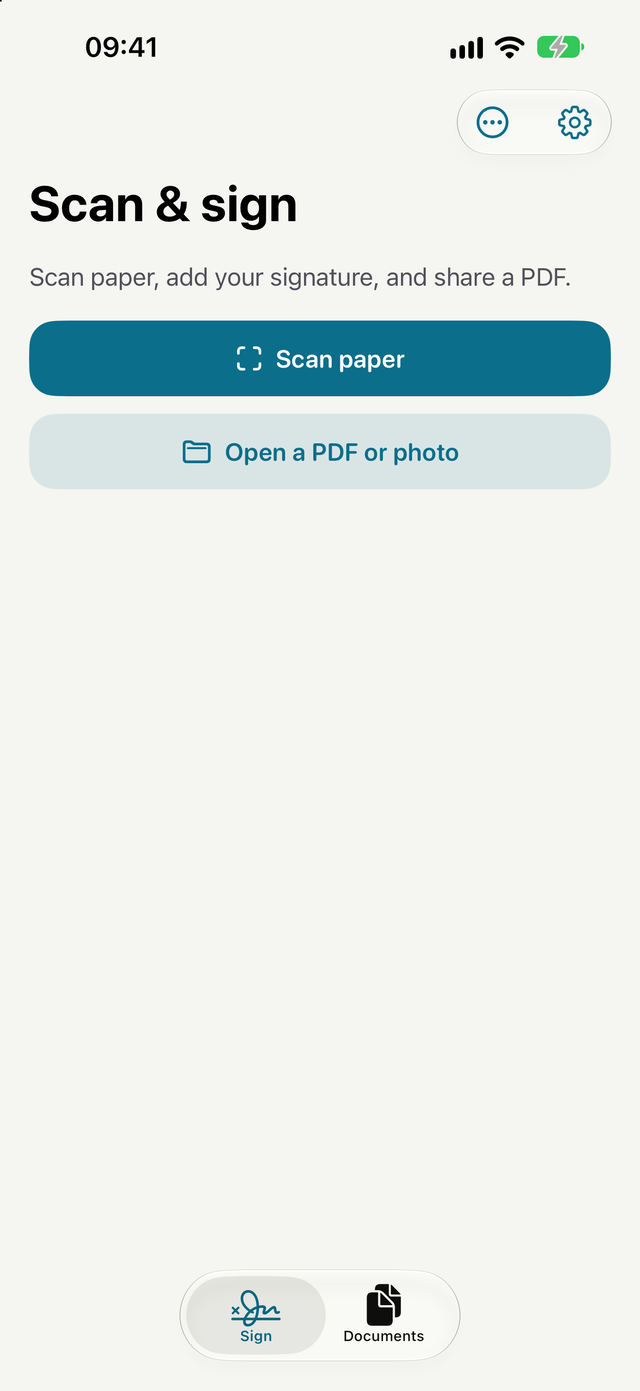
Scan paper or open a file
Scan one or more pages with your camera, or open a PDF or photo. The document opens straight into signing, with no profile to set up first.
- Share a PDF or photo from another app to Signature Ready
For iPhone and iPad. Works with iOS 26 and iPadOS 26 or later.
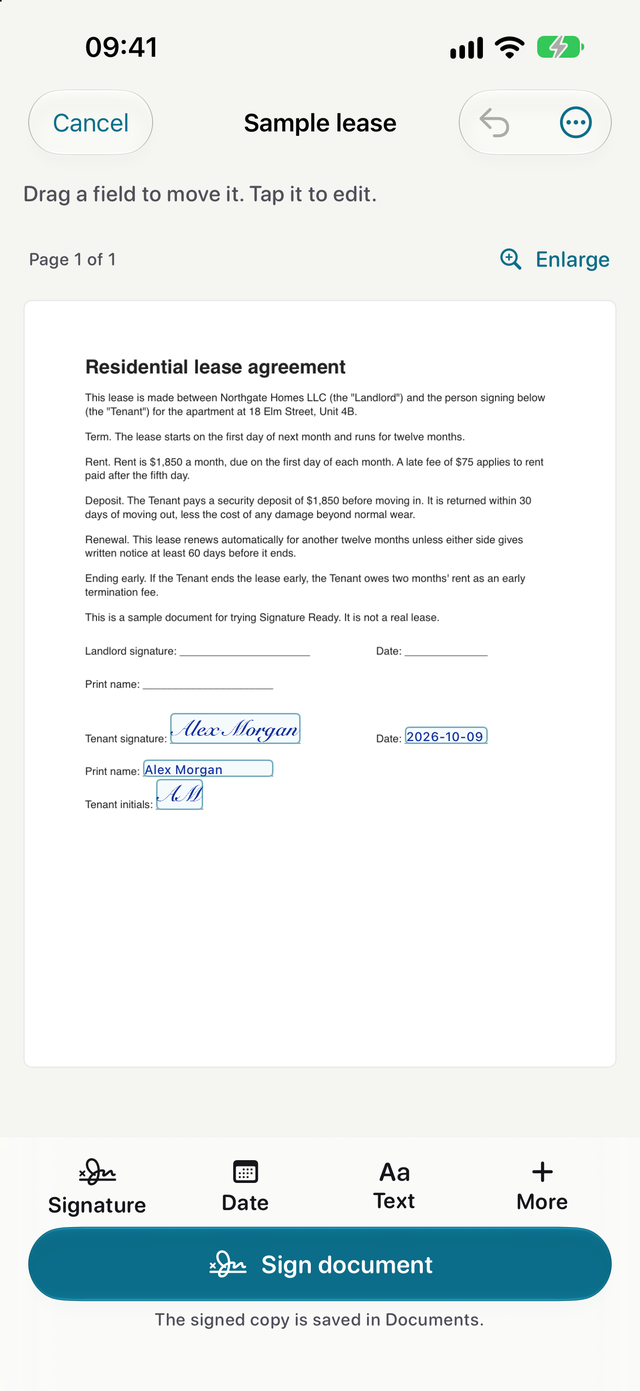
Draw or type your signature
Draw with a finger or Apple Pencil, or type your name. Tap the paper to place it, then move or resize it. Add a date, initials, text or a checkbox when the form needs one.
- Reuse a saved signature on the next document
For iPhone and iPad. Works with iOS 26 and iPadOS 26 or later.
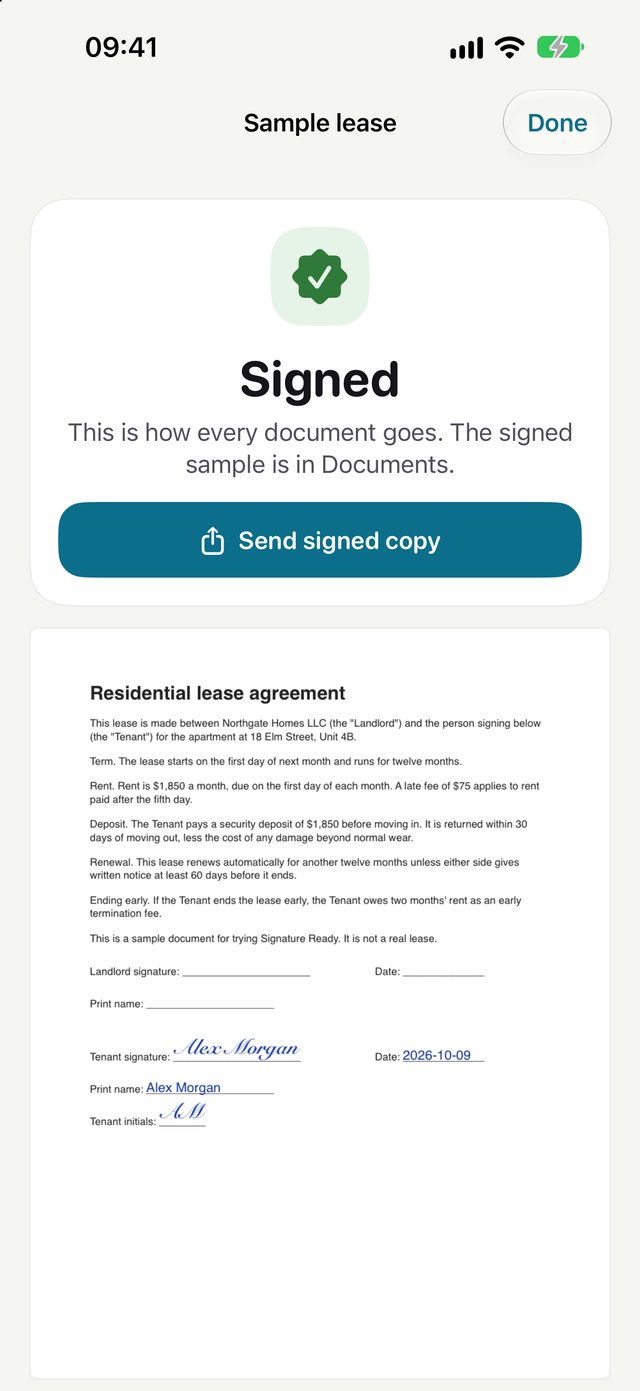
Send the signed copy
The signed PDF is saved in Documents and ready to send through the share sheet. A local signing record lists the signer name you entered, the device time and file fingerprints.
- A signing record is not identity verification, a trusted timestamp or notarization
For iPhone and iPad. Works with iOS 26 and iPadOS 26 or later.
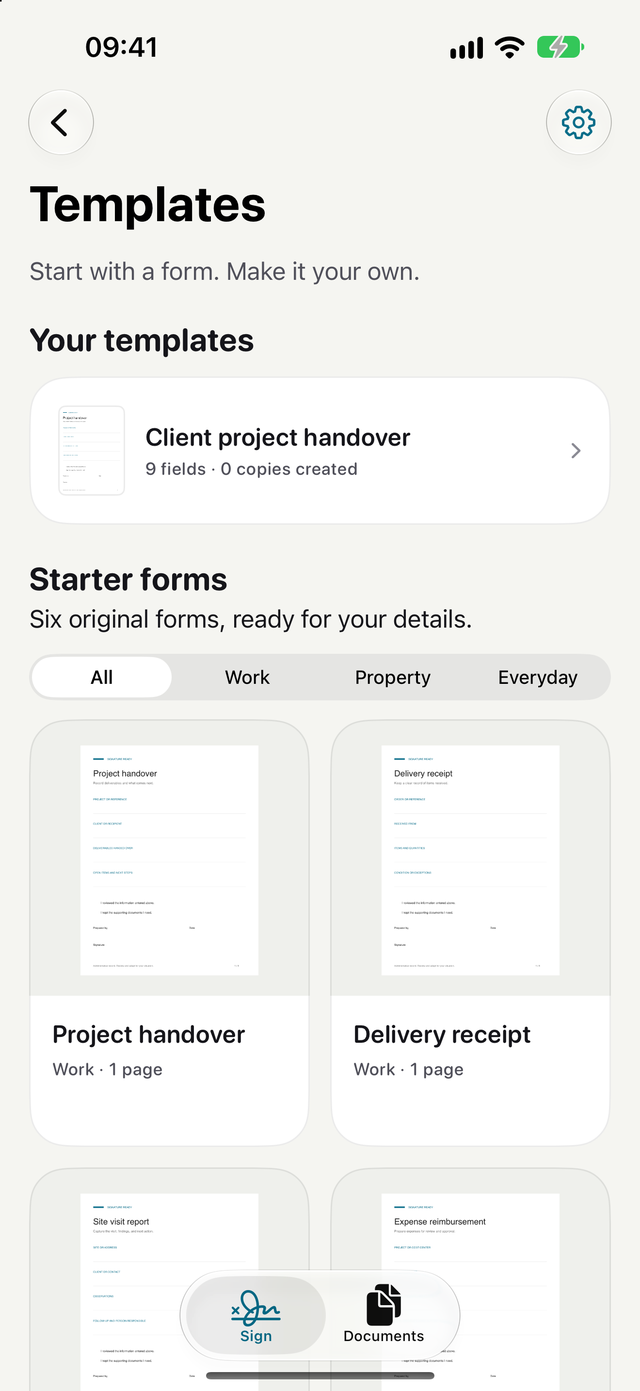
Give repeat paperwork a head start
Save your own form with its field layout and create a fresh copy for the next job. Or start with one of six original forms for handovers, deliveries, site visits, expenses, property condition and document acknowledgments.
- Starter forms record your own administrative facts and are not legal contracts
- One personal template is free, and Pro adds unlimited templates
For iPhone and iPad. Works with iOS 26 and iPadOS 26 or later.
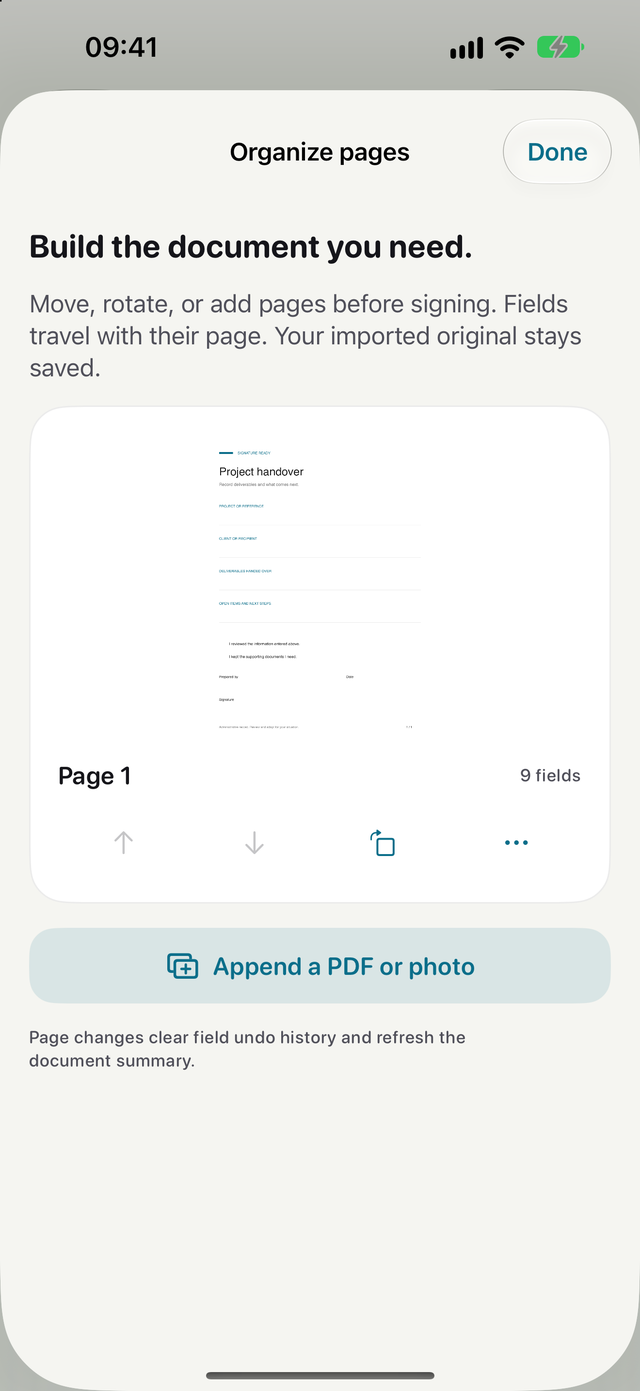
Fix the pages before you sign
Rotate, reorder, duplicate or remove pages, or append another PDF or photo. Fields travel with their page, and your imported original stays saved.
For iPhone and iPad. Works with iOS 26 and iPadOS 26 or later.
Keep drafts and signed copies together
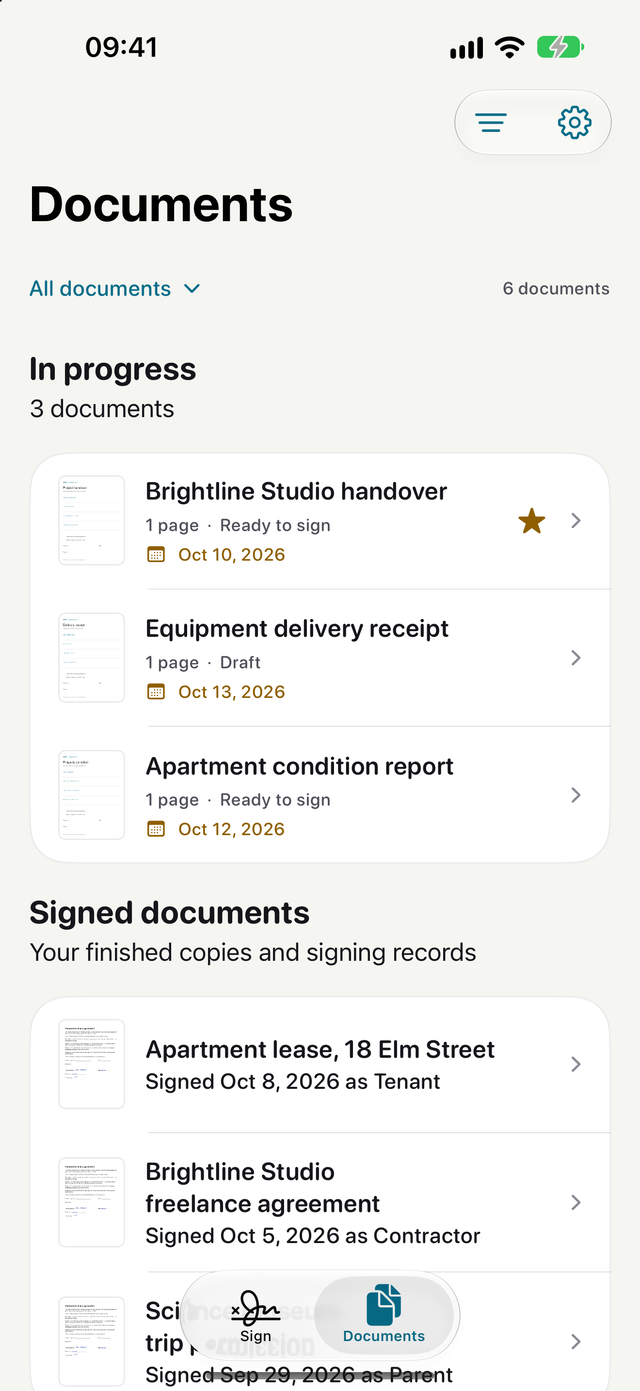
Unfinished drafts save as you work. Add a project, note, checklist or deadline, search your documents and set an optional local reminder.
- On supported devices, Apple Intelligence can find form fields on your device
- Pro adds summaries and document questions with source excerpts
For iPhone and iPad. Works with iOS 26 and iPadOS 26 or later.
Signature Ready is coming soon to iPhone and iPad.
Three signed documents are free every calendar month, with no account to create. Pro adds unlimited signing when you need more.
Coming to the App Store
Three signed documents every calendar month.
For iPhone and iPad. Works with iOS 26 and iPadOS 26 or later.